Free Supermarket Receipt Generator
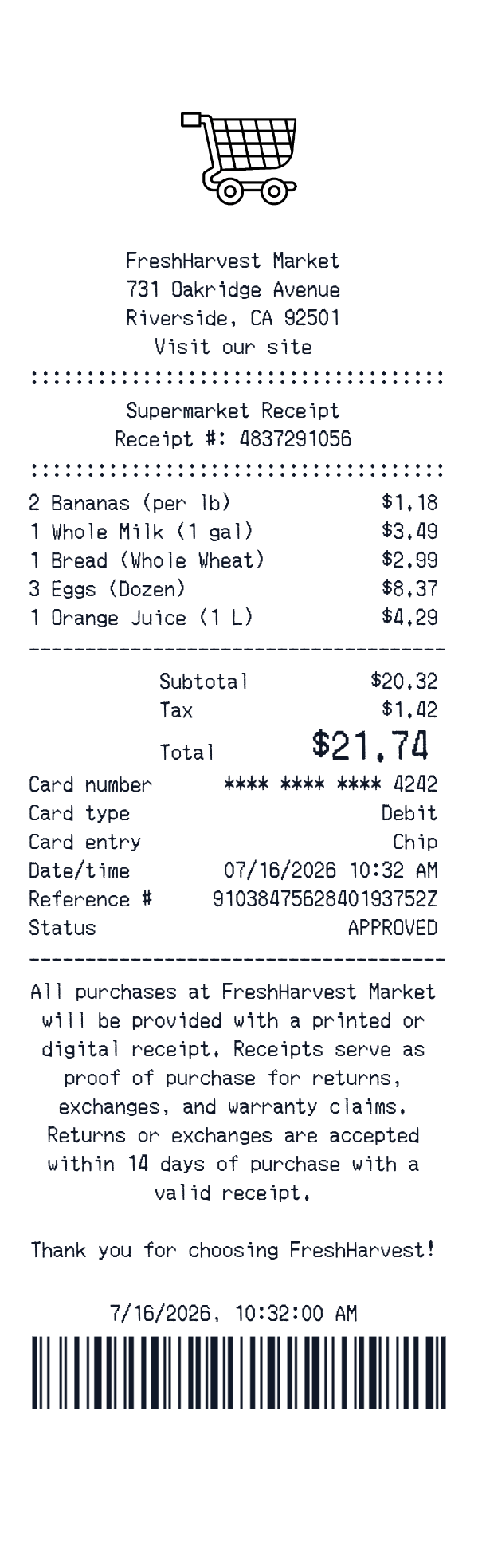
This supermarket receipt template is an itemized grocery-style receipt with a store header, product lines, subtotal, tax, total, card payment, and barcode. It is useful for personal records, household budget samples, training materials, creative mockups, and digitizing paper grocery receipts. The editor lets you customize the fields before downloading or printing.
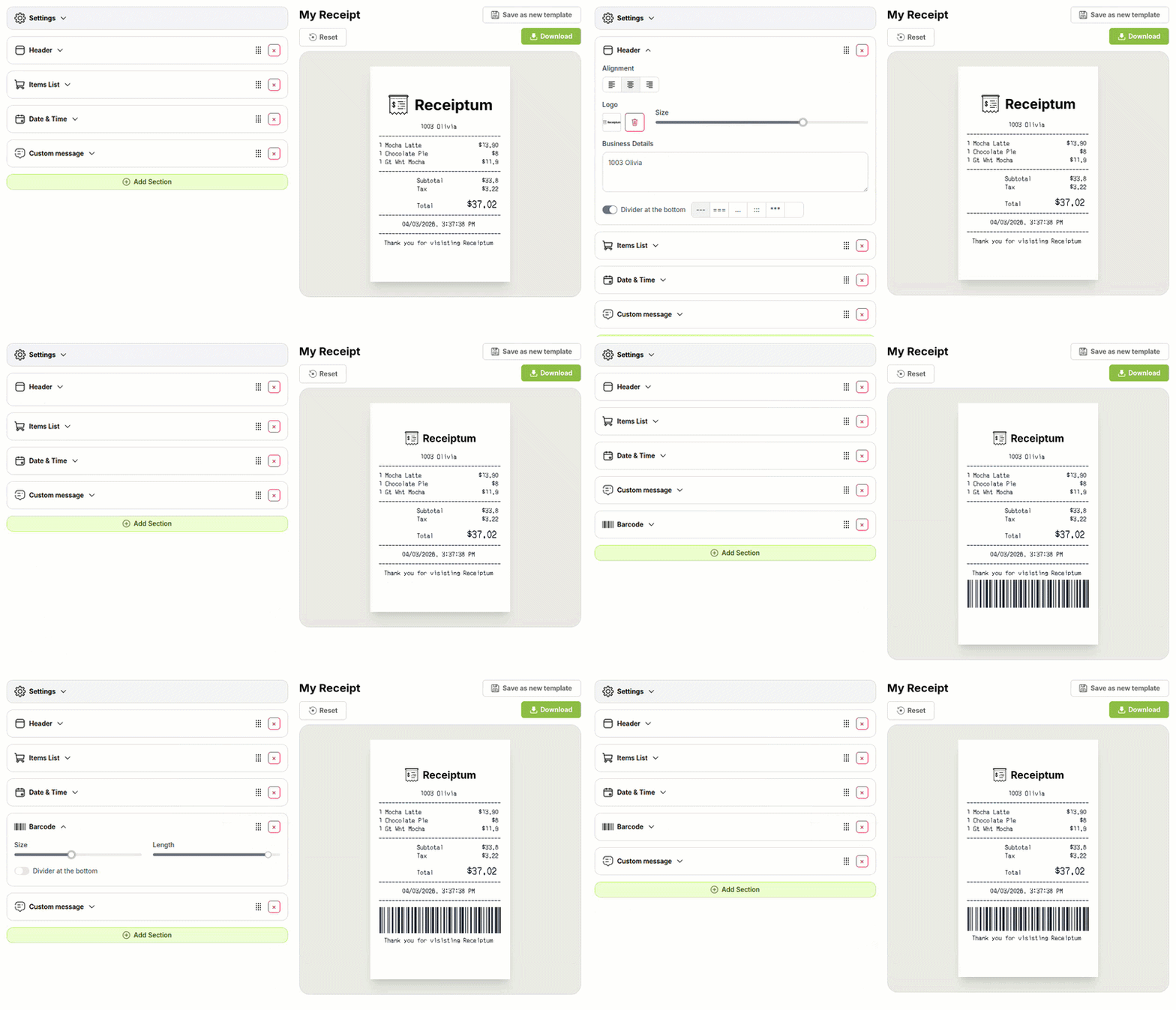
- ✔Create a receipt in seconds
- ✔No design skills needed
- ✔Fully customizable
- ✔Add custom logo
- ✔Edit line items
- ✔Choose payment method
- ✔Add or remove receipt elements
What's on a real Supermarket Receipt?
Every part of the receipt has a purpose. Here is what you will find on this template and why it matters.
Store header
Names the store and gives its address, so the receipt is tied to a specific location.
Receipt number
Provides a unique transaction identifier that helps distinguish one purchase from another.
Itemized products
Lists each product with quantity and price, giving a line-by-line view of what was bought.
Produce pricing
Shows weight-based pricing for produce, which is common in grocery stores.
Subtotal and tax
Separates the pre-tax amount from applicable sales tax before the final total.
Payment details
Records the card type, entry method, last four digits, reference number, and approval status.
Store notice
States the store's policy terms shown on the receipt.
Date, time, and barcode
Records when the purchase happened and adds a barcode for store scanning.
How the sample is arranged
This template comes pre-filled with a realistic sample receipt. Here is what it contains, top to bottom.
FreshHarvest Market header with 731 Oakridge Avenue, Riverside, CA 92501, and Visit our site. Supermarket Receipt title and receipt number 4837291056 appear next. Item lines: Bananas (per lb) 2 at 1.18; Whole Milk (1 gal) 1 at 3.49; Bread (Whole Wheat) 1 at 2.99; Eggs (Dozen) 3 at 8.37; Orange Juice (1 L) 1 at 4.29. Subtotal 20.32, Tax 1.42, Total 21.74. Debit card payment with chip entry, last four 4242, reference 9103847562840193752Z, date/time 07/16/2026 10:32 AM, and approved status. Store notice, 7/16/2026, 10:32:00 AM, and barcode close the layout.
How to make a Supermarket Receipt?
With our Receipt Maker, creating any receipt is as easy as 1, 2, 3.
Customize your receipt
Customize every detail, from items to pricing and payment details, with ease.
Export your receipt
One-click export, ready to print.
Where a Supermarket Receipt comes in handy
Personal purchase records
Keep a personal record of grocery shopping and its costs.
Household food budget
Track household food spending and keep a clear budget picture.
Meal spending log
Track meal spending in a personal budget log.
Trip cost review
Review what a shopping trip cost, line by line.
Film and app mockups
Build supermarket receipt mockups for film, TV, apps, or design projects.
Retail education
Prepare sample receipts for retail or bookkeeping education.
Digitizing paper receipts
Turn paper grocery receipts into a clean digital format.
Tips for a Supermarket Receipt
- 1Use abbreviated product names, because many grocery registers print short descriptions rather than full titles.
- 2For produce lines, show a weight-based price and quantity, such as per pound, instead of a simple unit price.
- 3Keep the item count consistent with the number of product lines shown in the itemized list.
- 4For card payments, print only the last four digits, card type, entry method, reference number, and status.
- 5Match the date and time to the shopping trip, and include a barcode if the store uses scanned receipt codes.
Similar Templates
More receipt templates like this one — pick one and generate your own receipt in seconds.
Get started in 1 minute
- ✔Create receipts in seconds
- ✔Customize everything
- ✔Easy with our Receipt Builder