Free Publix Receipt Generator
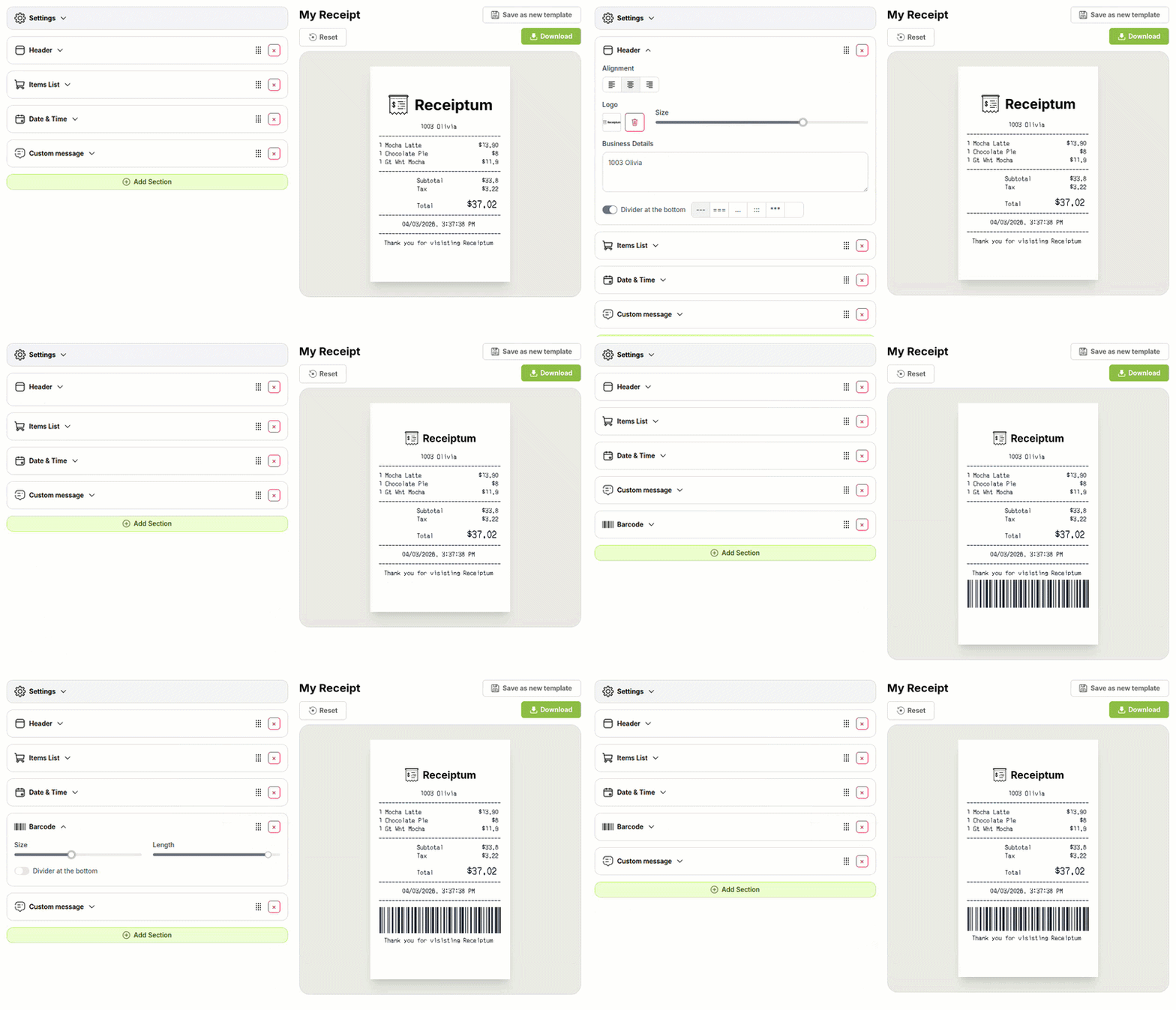
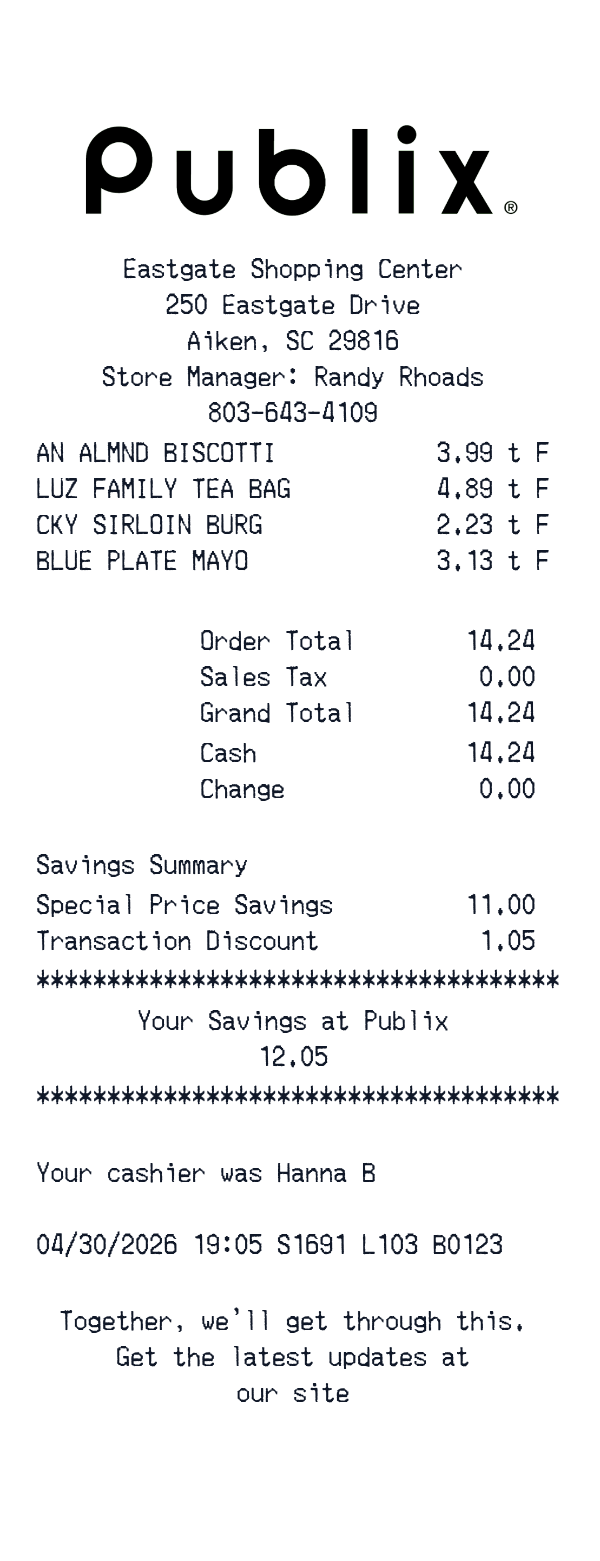
This Publix-style receipt template is a grocery receipt layout with a store header, itemized lines, savings messages, and a cash payment block. It is useful for personal records, budget samples, education, and creative mockups.
The editor lets you adjust the fields, colors, and logo before downloading or printing.
- ✔Create a receipt in seconds
- ✔No design skills needed
- ✔Fully customizable
- ✔Add custom logo
- ✔Edit line items
- ✔Choose payment method
- ✔Add or remove receipt elements
What's on a real Publix Receipt?
Every part of the receipt has a purpose. Here is what you will find on this template and why it matters.
Store header
Store name, address, phone, and manager or register details identify the location and shift.
Date and cashier
The purchase date, time, and cashier or register code place the transaction in time.
Itemized products
Abbreviated product lines and prices show what was purchased, including weight-based or special-price items.
Savings and discounts
Savings summaries and discount lines show reductions applied to the order.
Totals
Order total, sales tax, and grand total show the final amount due.
Payment
Cash or card details, including change when paid in cash, show how the purchase was settled.
How the sample is arranged
This template comes pre-filled with a realistic sample receipt. Here is what it contains, top to bottom.
Eastgate Shopping Center header with address, store manager, and phone. Product lines: almond biscotti, Luz family tea bags, Sirloin burger, Blue Plate mayo. Totals: Order Total 14.24, Sales Tax 0.00, Grand Total 14.24. Payment: Cash 14.24, Change 0.00. Savings Summary message, then Special Price Savings 11.00 and Transaction Discount 1.05. Closing messages: Your Savings at Publix 12.05, cashier Hanna B with 04/30/2026 19:05 and store codes, and a short store update note.
How to make a Publix Receipt?
With our Receipt Maker, creating any receipt is as easy as 1, 2, 3.
Customize your receipt
Customize every detail, from items to pricing and payment details, with ease.
Export your receipt
One-click export, ready to print.
Where a Publix Receipt comes in handy
Personal purchase records
Keeping a personal record of grocery shopping and its costs
Household food budget
Tracking household food spending and keeping a clear budget picture
Meal spending log
Tracking meal spending in a personal budget log
Trip cost review
Reviewing what a shopping trip cost, line by line
Film and app mockups
Building mockups for film, TV, apps, or design projects
Retail education
Preparing sample receipts for retail or bookkeeping education
Tips for a Publix Receipt
- 1Use abbreviated product names; grocery registers often print short codes, not full titles.
- 2For produce, show the PLU code and weight-based price instead of a unit price.
- 3Match the tax amount to the tax rate; remember produce is often untaxed.
- 4For cash payments, show the amount tendered and change due.
- 5Use a clear date and time for the shopping trip.
Similar Templates
More receipt templates like this one — pick one and generate your own receipt in seconds.
Get started in 1 minute
- ✔Create receipts in seconds
- ✔Customize everything
- ✔Easy with our Receipt Builder