Free Parking lot Receipt Generator
This parking lot receipt template is a simple form for recording a parking session, fee, and total. It is useful for personal records, education samples, creative mockups, or turning paper parking tickets into a clean digital format.
The editor lets you adjust the fields, colors, and layout.
- ✔Create a receipt in seconds
- ✔No design skills needed
- ✔Fully customizable
- ✔Add custom logo
- ✔Edit line items
- ✔Choose payment method
- ✔Add or remove receipt elements
What's on a real Parking lot Receipt?
Every part of the receipt has a purpose. Here is what you will find on this template and why it matters.
Facility header
Names the parking facility and may include location or contact details where the template provides them.
Session time
Shows the date and time, and for garage or timed parking it can include entry, exit, and duration.
Ticket number
Identifies the parking session so the record can be matched to a specific stay.
Fee lines
Lists the parking charge, base fee, or add-on services that make up the cost.
Hourly rate
Prints the rate used for hourly parking so the fee can be checked against the session length.
Totals
Adds the subtotal, tax where applicable, and final amount due.
Payment method
Notes whether the session was paid by cash or card, with card details limited to the last four digits.
Closing message
Provides a short footer note, such as a thank-you line, at the end of the receipt.
How the sample is arranged
This template comes pre-filled with a realistic sample receipt. Here is what it contains, top to bottom.
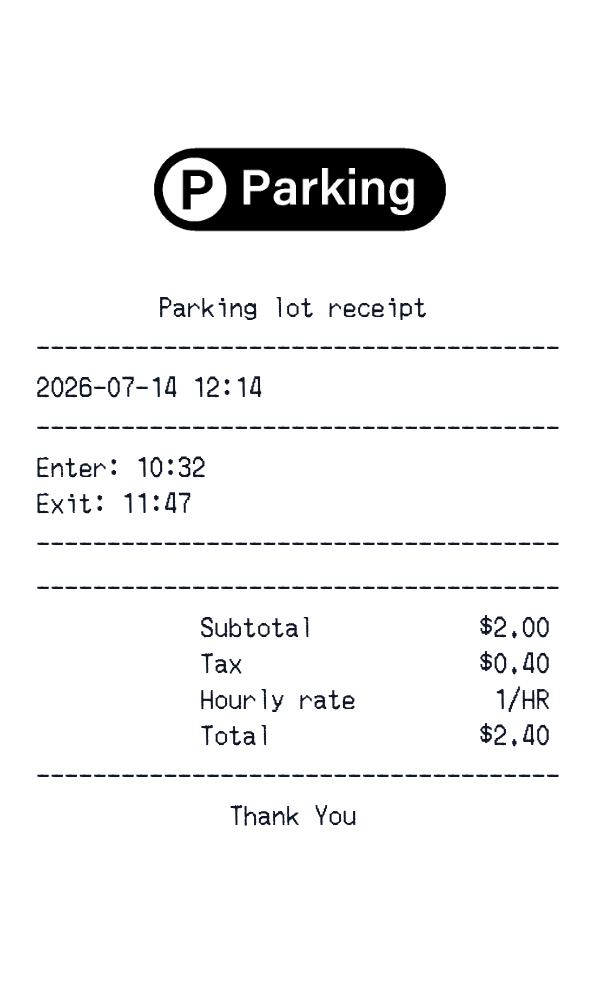
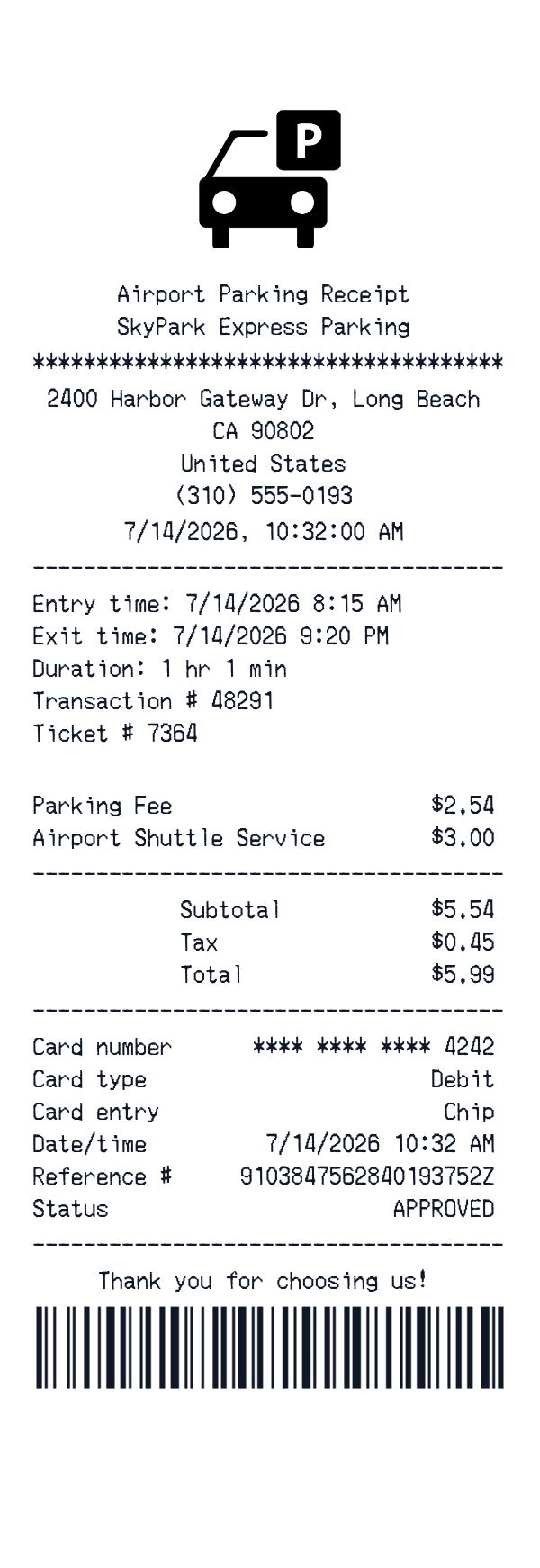
The sample starts with the business header “Parking lot receipt,” followed by the date and time “2026-07-14 12:14.” No item lines are pre-filled. The fee section lists Subtotal 2.00, Tax 0.40, and Hourly rate 1/HR, then shows Total 2.40. No payment method, barcode, or logo appears in the sample. The closing message is “Thank You.”
How to make a Parking lot Receipt?
With our Receipt Maker, creating any receipt is as easy as 1, 2, 3.
Customize your receipt
Customize every detail, from items to pricing and payment details, with ease.
Export your receipt
One-click export, ready to print.
Where a Parking lot Receipt comes in handy
Personal parking records
Keep a simple record of parking sessions and fees.
Travel parking costs
Track parking charges while traveling or visiting airports.
Parking charge review
Compare a fee against the rate and session duration.
Film and design mockups
Create sample receipts for film, TV, or design projects.
Driving education examples
Prepare sample parking receipts for training or classroom use.
Digitizing paper tickets
Turn faded paper parking tickets into a clean digital format.
Tips for a Parking lot Receipt
- 1Keep the math consistent: the fee, add-ons, tax, and total should all add up.
- 2Use a rate that fits the parking setting, since airport lots charge more than street parking.
- 3Include a transaction or ticket number when the parking session has one.
- 4Show entry and exit times with the duration for garage or timed parking sessions.
- 5Use a date and time that match the parking session.
Similar Templates
More receipt templates like this one — pick one and generate your own receipt in seconds.
Get started in 1 minute
- ✔Create receipts in seconds
- ✔Customize everything
- ✔Easy with our Receipt Builder
