Free LIDL Receipt Generator
This LIDL-style receipt template is a grocery receipt layout with a store header, itemized lines, cash payment, and a barcode. It is useful for personal records, budget samples, education, or creative projects. The editor lets you adjust the fields before downloading or printing.
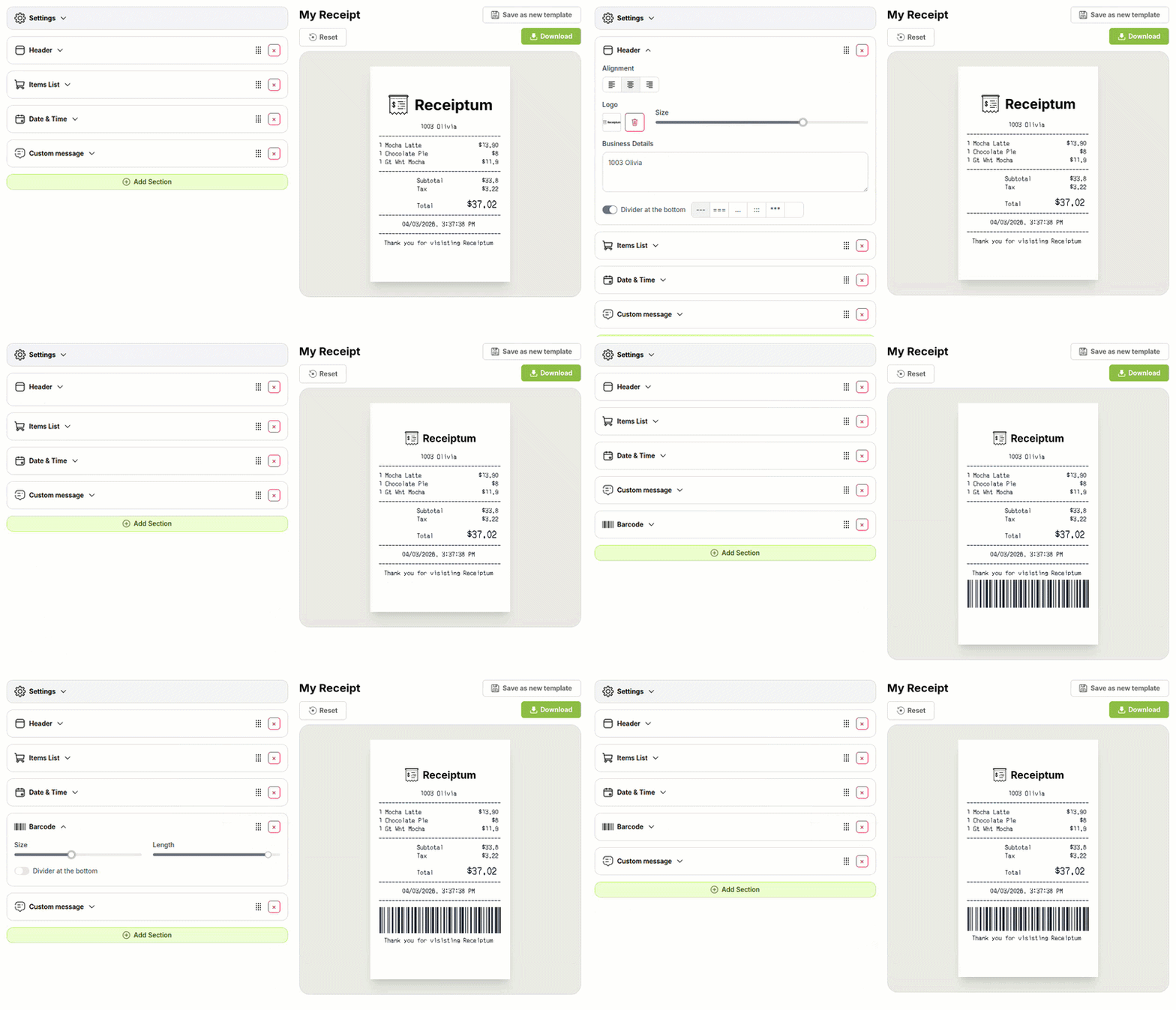
- ✔Create a receipt in seconds
- ✔No design skills needed
- ✔Fully customizable
- ✔Add custom logo
- ✔Edit line items
- ✔Choose payment method
- ✔Add or remove receipt elements
What's on a real LIDL Receipt?
Every part of the receipt has a purpose. Here is what you will find on this template and why it matters.
Store header
Store name and location line at the top identify the shop where the purchase was made.
Tax reference
A VAT or tax reference line helps match the receipt to the retailer's tax record.
Date and time
The purchase date and time place the transaction in a clear timeline.
Itemized products
Product lines list the goods bought, usually with quantities and prices.
Loyalty savings
A loyalty or app savings line shows when a discount was applied through a rewards program.
Totals
Subtotal, tax, and total show how the final amount is built.
Payment
The payment block records cash tendered and change, or card details when a card is used.
Barcode
A barcode or transaction code supports price checks and store-side lookups.
How the sample is arranged
This template comes pre-filled with a realistic sample receipt. Here is what it contains, top to bottom.
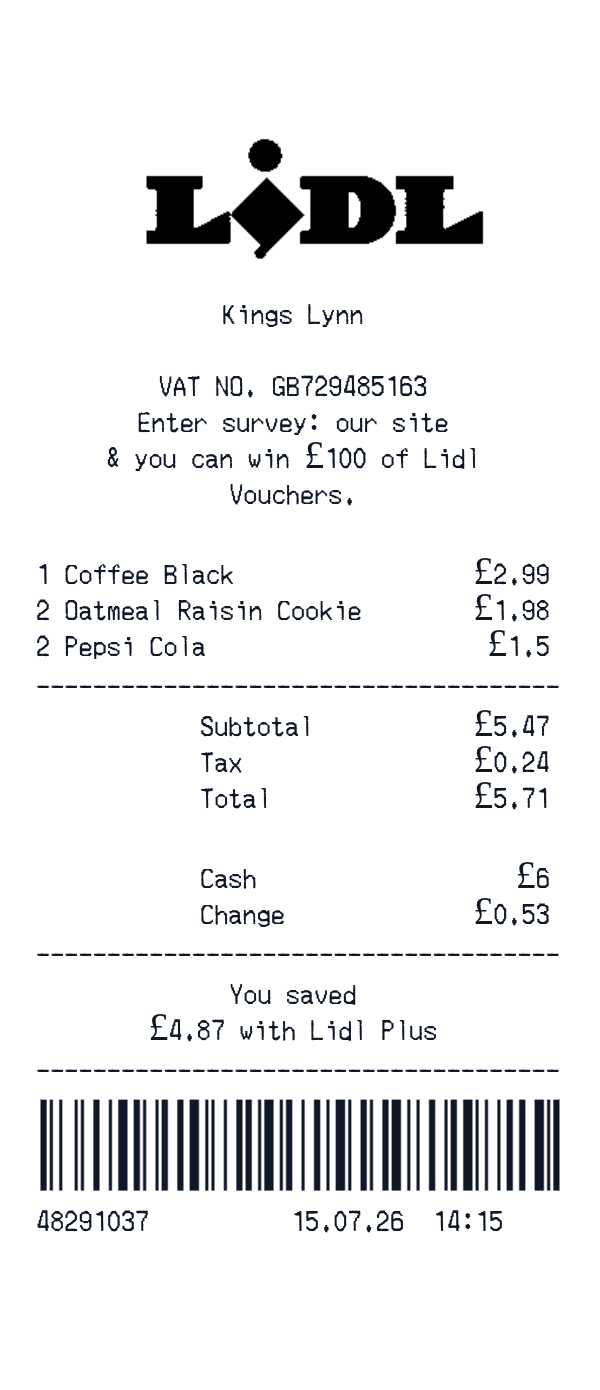
Header: a logo, Kings Lynn, VAT NO. GB729485163, and a survey line about winning £100 of Lidl Vouchers. Items: Coffee Black, 1 for £2.99; Oatmeal Raisin Cookie, 2 for £1.98; Pepsi Cola, 2 for £1.50. Totals: Subtotal £5.47, Tax £0.24, Total £5.71. Payment: Cash £6.00, Change £0.53. Message: You saved £4.87 with Lidl Plus. Barcode, then transaction line 48291037, 15.07.26, 14:15.
How to make a LIDL Receipt?
With our Receipt Maker, creating any receipt is as easy as 1, 2, 3.
Customize your receipt
Customize every detail, from items to pricing and payment details, with ease.
Export your receipt
One-click export, ready to print.
Where a LIDL Receipt comes in handy
Personal purchase records
Keep a clean record of what was bought and what it cost.
Household food budget
Track weekly grocery spending and compare it against a set budget.
Trip cost review
Review a shopping trip line by line to see where money went.
Film and app mockups
Create a grocery receipt visual for a scene, app demo, or design project.
Retail education
Use a sample itemized receipt to explain totals, tax, and payment details.
Digitizing paper receipts
Transfer a paper grocery receipt into a clean digital image for personal files.
Tips for a LIDL Receipt
- 1Keep product names short, like register labels, and align quantities and prices in a clean item list.
- 2Include a loyalty savings line when the sample shows a discount from a store app or membership.
- 3Match the cash tender and change to the final total so the payment block adds up correctly.
- 4Use a UK-style date and time, such as 15.07.26 14:15, for a clear local format.
- 5Keep the VAT number and store name in the header, as LIDL-style receipts often show tax details.
Similar Templates
More receipt templates like this one — pick one and generate your own receipt in seconds.
Get started in 1 minute
- ✔Create receipts in seconds
- ✔Customize everything
- ✔Easy with our Receipt Builder