Free Deliveroo Delivery Receipt Generator
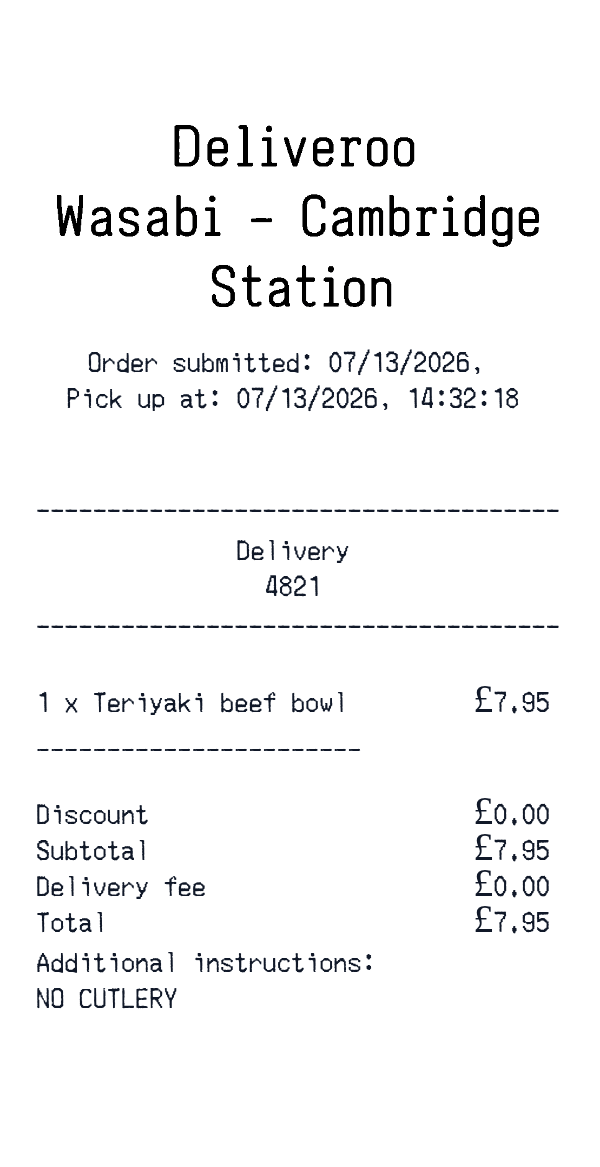
This Deliveroo-style delivery receipt template is a food-order receipt layout for a single meal delivery. It shows an order timestamp, a pickup time, a delivery note, one food item, and a simple total block.
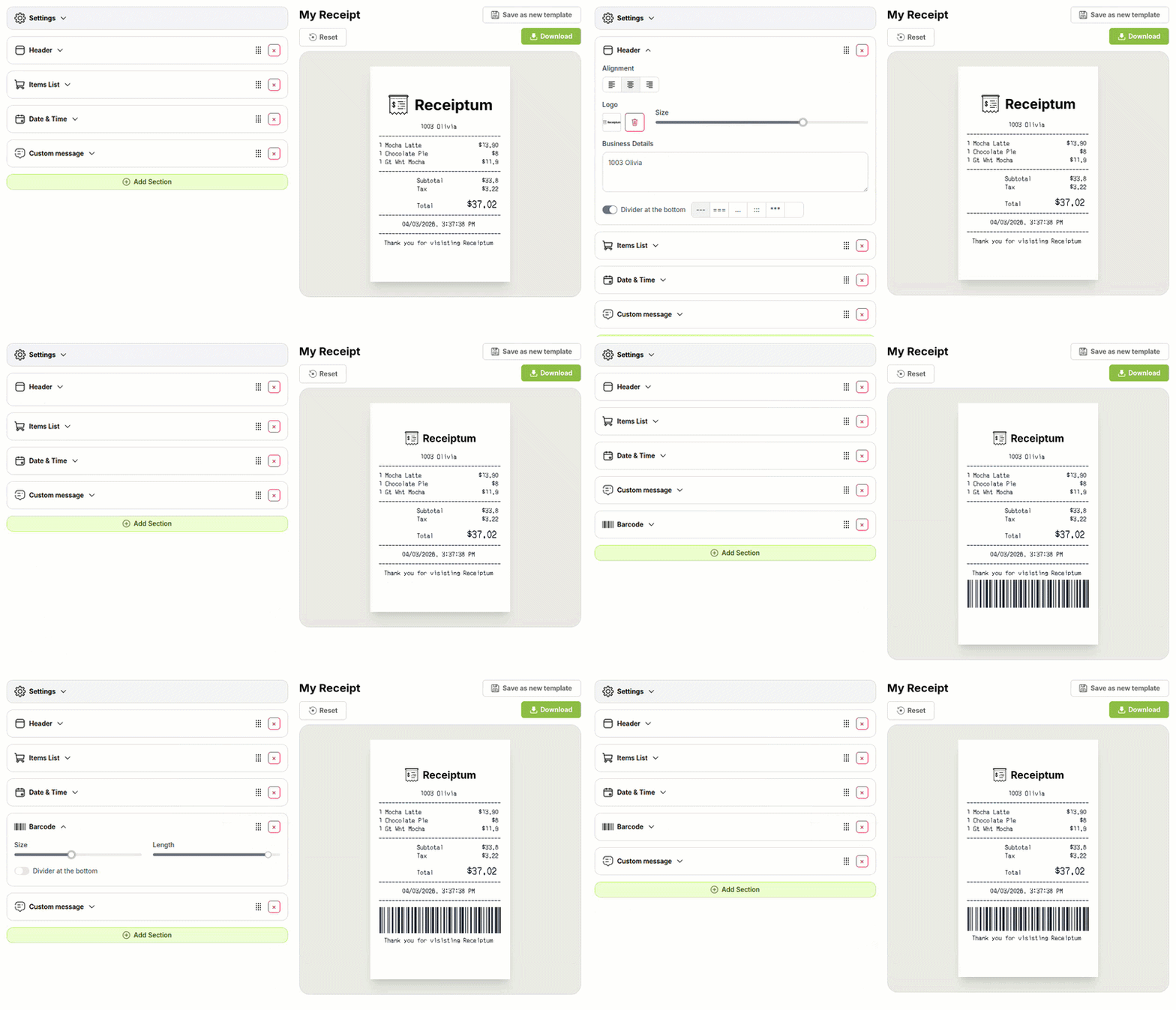
Use it for personal records, training, or a design mockup. The editor lets you adjust the text, colors, and logo.
- ✔Create a receipt in seconds
- ✔No design skills needed
- ✔Fully customizable
- ✔Add custom logo
- ✔Edit line items
- ✔Choose payment method
- ✔Add or remove receipt elements
What's on a real Deliveroo Delivery Receipt?
Every part of the receipt has a purpose. Here is what you will find on this template and why it matters.
Order timestamp
The date and time the order was submitted. It helps identify the specific delivery.
Pickup time
The expected pickup time for the courier. It gives context for when the food was collected.
Delivery note
A short status or instruction line for the delivery. It can carry rider-facing notes.
Food lines
The ordered dishes with quantities and prices. This is the itemized core of the receipt.
Discount
A separate line for any discount applied. It keeps the reduction visible before the subtotal.
Subtotal and delivery fee
The base order amount and the added delivery charge. They show how the final total is built.
Total
The final amount for the order. It combines the itemized lines and fees.
How the sample is arranged
This template comes pre-filled with a realistic sample receipt. Here is what it contains, top to bottom.
Order submitted: 07/13/2026, with Pick up at: 07/13/2026, 14:32:18. Delivery 4821 appears, followed by Additional instructions: NO CUTLERY. The item line is 1 x Teriyaki beef bowl at £7.95, then a blank line and Discount at £0.00. Subtotal is £7.95, Delivery fee is £0.00, and Total is £7.95. No payment method, barcode, or logo is pre-filled.
How to make a Deliveroo Delivery Receipt?
With our Receipt Maker, creating any receipt is as easy as 1, 2, 3.
Customize your receipt
Customize every detail, from items to pricing and payment details, with ease.
Export your receipt
One-click export, ready to print.
Where a Deliveroo Delivery Receipt comes in handy
Personal delivery records
Keep a clean record of ordered meals and delivery times.
Food budget tracking
Track meal spending and compare delivery fees against your budget.
Meal cost review
Check itemized food lines against the subtotal and total.
Film and app mockups
Create a sample delivery receipt for film, TV, or app design.
Hospitality training materials
Prepare sample food-order receipts for bookkeeping or service training.
Digitizing paper receipts
Turn a faded paper delivery receipt into a clean digital file.
Tips for a Deliveroo Delivery Receipt
- 1Keep the math consistent: item prices, discount, delivery fee, subtotal, and total should all add up.
- 2Use a plausible order date and pickup time, since delivery receipts rely on timing.
- 3Show the delivery note separately, such as an instruction line, so it does not blend into the item list.
- 4Keep the discount line separate from the food lines so the reduction is easy to read.
Similar Templates
More receipt templates like this one — pick one and generate your own receipt in seconds.
Get started in 1 minute
- ✔Create receipts in seconds
- ✔Customize everything
- ✔Easy with our Receipt Builder