Free ACME Grocery Receipt Generator
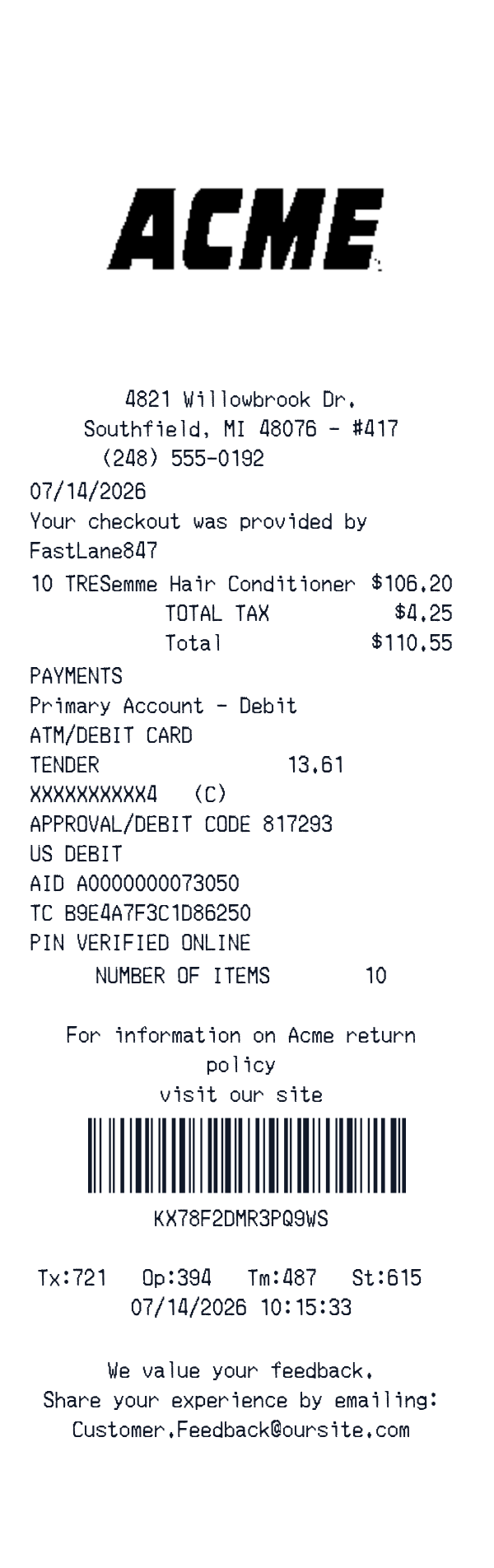
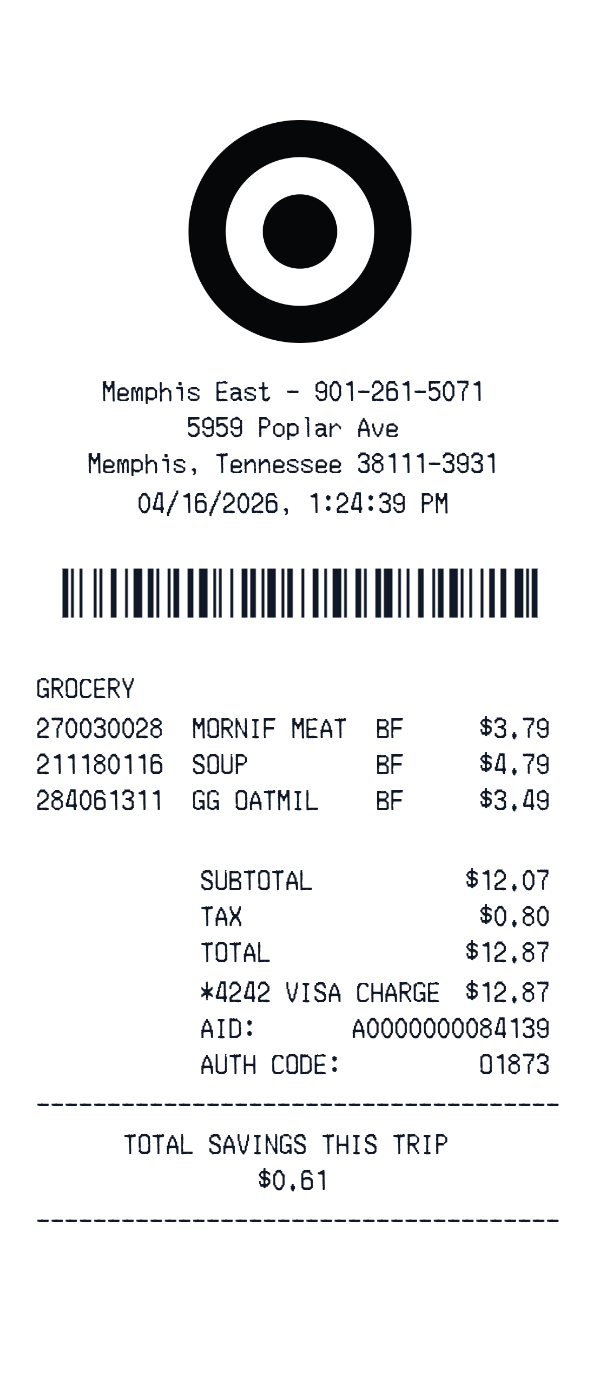
ACME Grocery Receipt is a free online template for creating an itemized grocery receipt. It includes a store header, date and time, a product line, tax and total, a debit-card payment block, and a barcode with transaction notes. The editor lets you adjust the store details, item, amounts, and payment lines before downloading or printing the finished receipt.
- ✔Create a receipt in seconds
- ✔No design skills needed
- ✔Fully customizable
- ✔Add custom logo
- ✔Edit line items
- ✔Choose payment method
- ✔Add or remove receipt elements
What's on a real ACME Grocery Receipt?
Every part of the receipt has a purpose. Here is what you will find on this template and why it matters.
Store header
Shows the store name, number, street address, and phone so the location of the purchase is clear.
Date and checkout line
Gives the purchase date and time, and often the cashier or register, to place the visit in a timeline.
Itemized products
Lists each product with quantity and price; produce lines can include PLU codes and weight-based pricing.
Tax and total
Separates taxable items from the final amount, which helps explain the difference between subtotal and total.
Payment details
Shows the payment method, such as cash or card, with tender, last four digits, or approval details.
Transaction barcode
Provides a scannable code and transaction reference that the store can use for price checks or lookups.
How the sample is arranged
This template comes pre-filled with a realistic sample receipt. Here is what it contains, top to bottom.
4821 Willowbrook Dr. Southfield, MI 48076 - #417 (248) 555-0192 07/14/2026 Your checkout was provided by FastLane847 TRESemmé Hair Conditioner, quantity 10, $106.20 TOTAL TAX $4.25 Total $110.55 Primary Account - Debit ATM/DEBIT CARD TENDER 13.61 XXXXXXXXXX4 (C) APPROVAL/DEBIT CODE 817293 US DEBIT AID A0000000073050 TC B9E4A7F3C1D86250 PIN VERIFIED ONLINE Barcode NUMBER OF ITEMS 10 Acme return policy note KX78F2DMR3PQ9WS Tx:721 Op:394 Tm:487 St:615 07/14/2026 10:15:33 Customer.Feedback@oursite.com
How to make a ACME Grocery Receipt?
With our Receipt Maker, creating any receipt is as easy as 1, 2, 3.
Customize your receipt
Customize every detail, from items to pricing and payment details, with ease.
Export your receipt
One-click export, ready to print.
Where a ACME Grocery Receipt comes in handy
Personal purchase records
Keep a clean record of a grocery trip and its line-item costs.
Household food budget
Track household food spending and compare it against a planned budget.
Meal spending log
Log meal-related grocery purchases in a personal spending summary.
Trip cost review
Review what a shopping trip cost, line by line.
Film and app mockups
Build mockups for film, TV, apps, or design projects.
Retail education
Prepare sample receipts for retail or bookkeeping education.
Digitizing paper receipts
Turn paper grocery receipts into a clean digital format.
Tips for a ACME Grocery Receipt
- 1Use abbreviated product names, because grocery registers often print short codes instead of full product titles.
- 2Keep the item count line consistent with the number of product lines shown on the receipt.
- 3Match the tax amount to the tax rate, and remember that produce is often untaxed.
- 4For card payments, print only the last four digits and the payment type.
- 5Use the date and time that match the purchase record.
Similar Templates
More receipt templates like this one — pick one and generate your own receipt in seconds.
Get started in 1 minute
- ✔Create receipts in seconds
- ✔Customize everything
- ✔Easy with our Receipt Builder
