Free T Mobile Receipt Generator
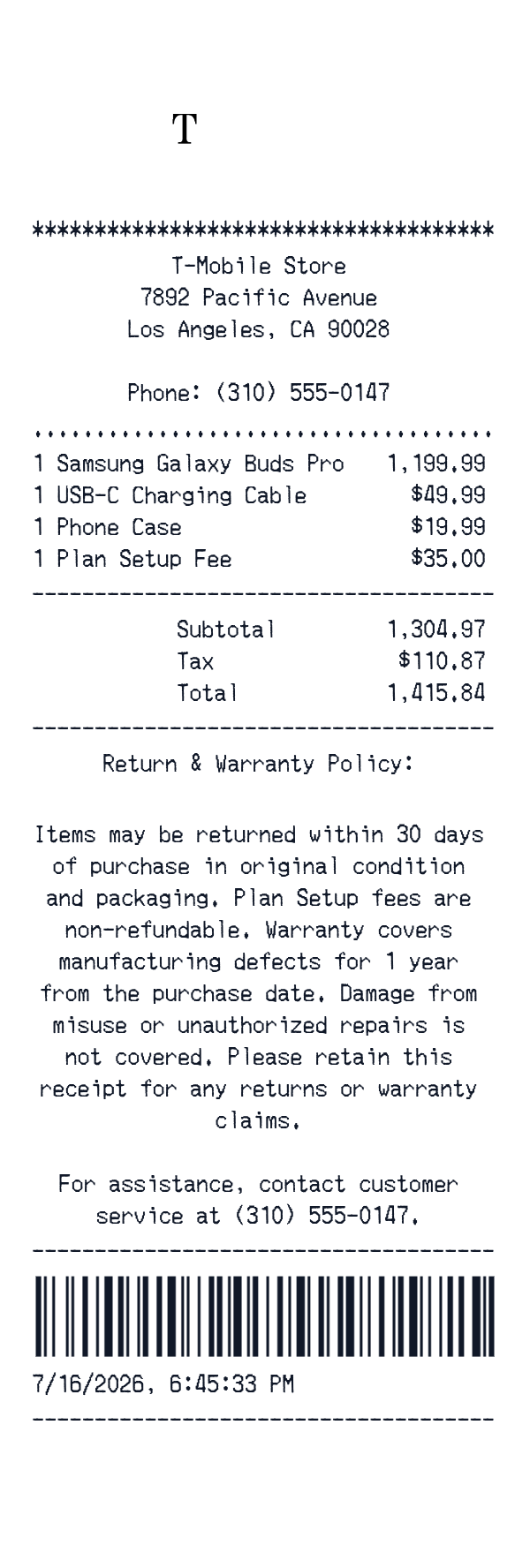
This T-Mobile-style receipt template is an itemized retail receipt for a mobile store purchase. It includes a store header, product and service lines, subtotal, tax, total, a barcode, and a date-time line.
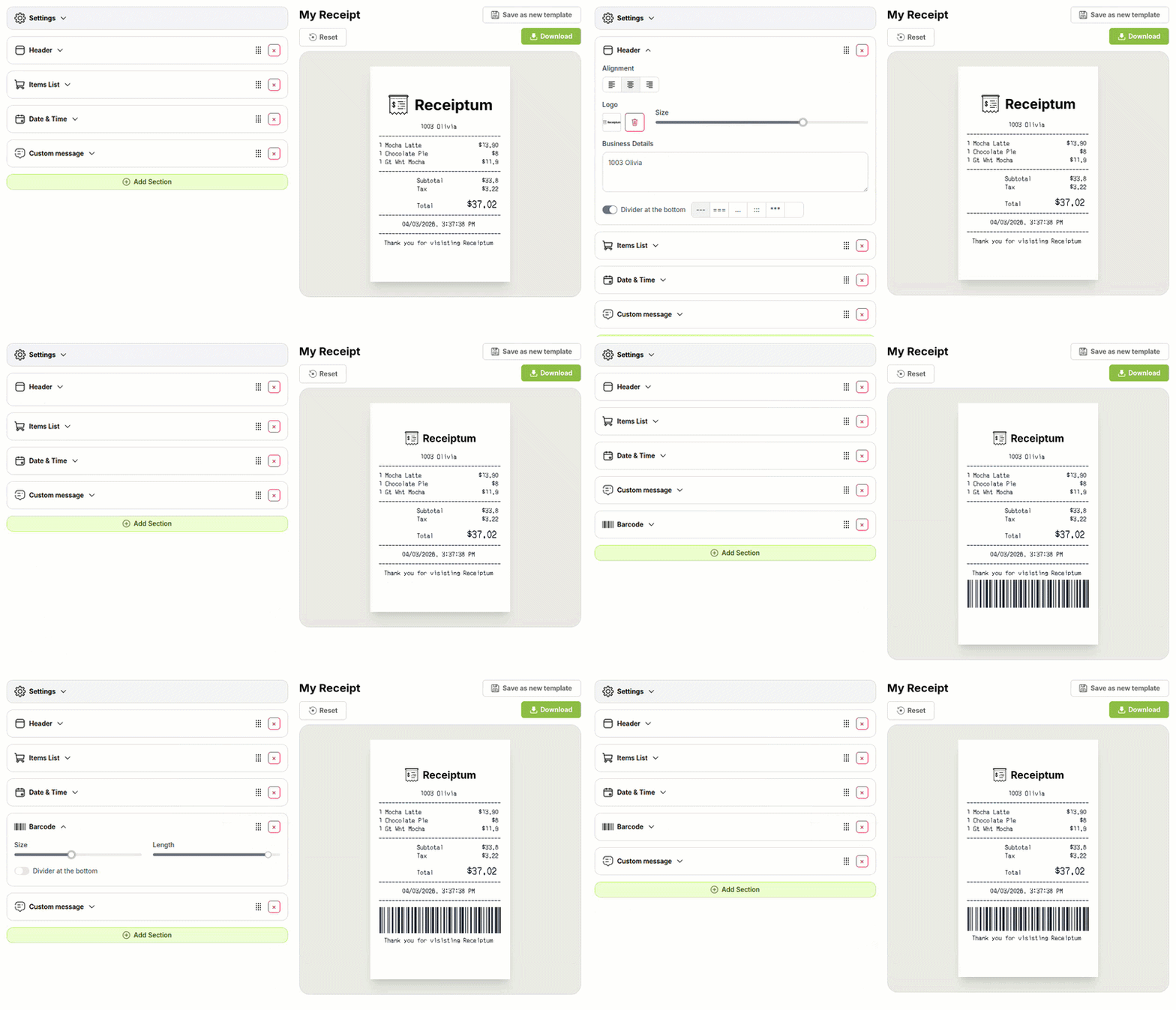
In the editor, you can replace the sample details, adjust layout, upload a logo, and download a PNG or print it.
- ✔Create a receipt in seconds
- ✔No design skills needed
- ✔Fully customizable
- ✔Add custom logo
- ✔Edit line items
- ✔Choose payment method
- ✔Add or remove receipt elements
What's on a real T Mobile Receipt?
Every part of the receipt has a purpose. Here is what you will find on this template and why it matters.
Store header
Shows the store name, street address, and phone number so the purchase location is clear.
Date and time
Records when the purchase was made, usually near the bottom or top of the receipt.
Itemized products
Lists each product or service with quantity and price so the charge can be checked line by line.
Subtotal and tax
Separates the pre-tax amount from sales tax before the final total is shown.
Total
Shows the final amount due after subtotal and tax are applied.
Policy note
Gives return, warranty, or customer service information near the bottom for reference.
Barcode
Adds a machine-readable code often used to identify the transaction or store visit.
How the sample is arranged
This template comes pre-filled with a realistic sample receipt. Here is what it contains, top to bottom.
Header: T-Mobile Store, 7892 Pacific Avenue, Los Angeles, CA 90028, phone (310) 555-0147, with logo. A return-and-warranty policy label appears before the items. Items: Samsung Galaxy Buds Pro 1 @ $1,199.99; USB-C Charging Cable 1 @ $49.99; Phone Case 1 @ $19.99; Plan Setup Fee 1 @ $35.00; totals show Subtotal $1,304.97, Tax $110.87, Total $1,415.84. A longer policy note follows. No payment line is pre-filled. Closing: barcode, then 7/16/2026, 6:45:33 PM.
How to make a T Mobile Receipt?
With our Receipt Maker, creating any receipt is as easy as 1, 2, 3.
Customize your receipt
Customize every detail, from items to pricing and payment details, with ease.
Export your receipt
One-click export, ready to print.
Where a T Mobile Receipt comes in handy
Mobile purchase records
Keep a clean record of phone and accessory purchases.
Accessory spending log
Track device, cable, and case spending in one place.
Plan setup review
Review what a new service setup and device cost.
Retail training sample
Prepare a sample mobile-store receipt for training or education.
Design mockup prop
Create a retail receipt prop for film, TV, or design work.
Digitizing paper records
Turn a paper mobile-store receipt into a clean image.
Tips for a T Mobile Receipt
- 1Keep product names short and plain rather than marketing titles.
- 2Match the tax amount to the tax rate shown on the receipt.
- 3Add a plan setup fee line when the sample includes service activation.
- 4Use a consistent date and time across the header and closing line.
- 5A short return-policy note near the bottom matches common retail receipt layouts.
Similar Templates
More receipt templates like this one — pick one and generate your own receipt in seconds.
Get started in 1 minute
- ✔Create receipts in seconds
- ✔Customize everything
- ✔Easy with our Receipt Builder