Free StockX Receipt Generator
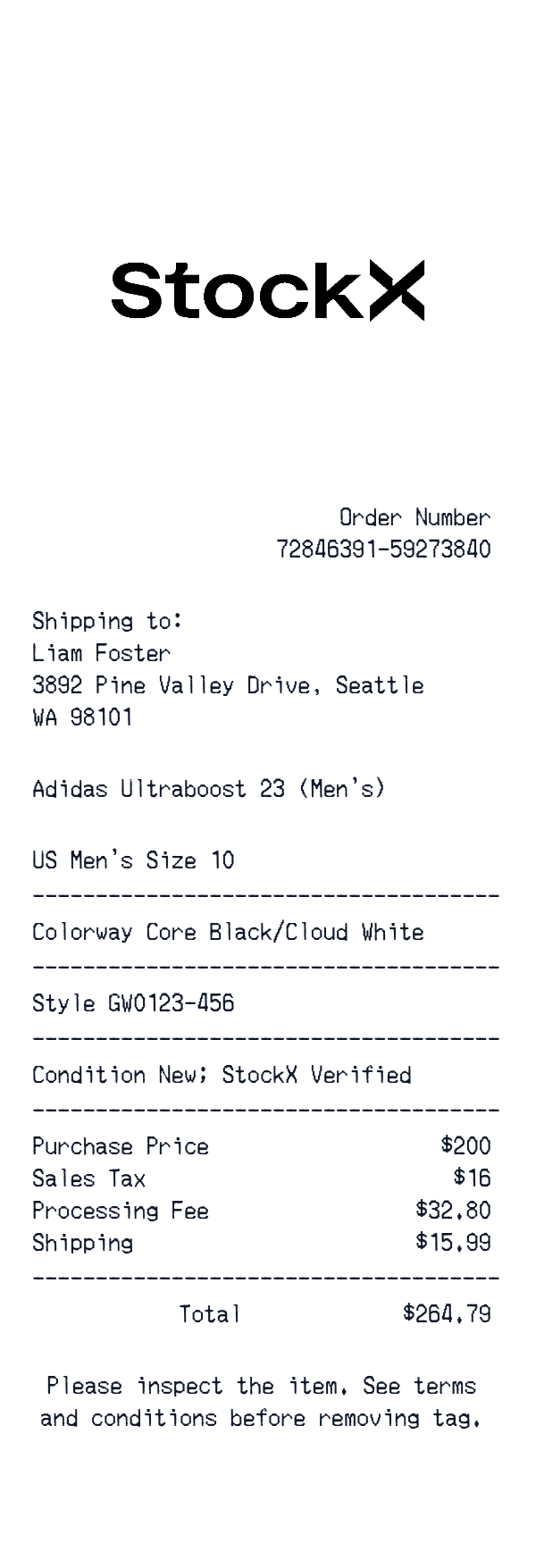
This StockX-style receipt template is an itemized retail receipt for online sneaker orders. It shows an order number, shipping address, product details, and separate lines for price, tax, processing, and shipping. The pre-filled sample uses an Adidas sneaker, a Seattle address, and a total of 264.79. The editor lets you customize the fields.
- ✔Create a receipt in seconds
- ✔No design skills needed
- ✔Fully customizable
- ✔Add custom logo
- ✔Edit line items
- ✔Choose payment method
- ✔Add or remove receipt elements
What's on a real StockX Receipt?
Every part of the receipt has a purpose. Here is what you will find on this template and why it matters.
Order Number
A transaction identifier that helps match the receipt to a record. It usually appears near the top of the receipt.
Shipping Address
The recipient name and delivery address for the order. It is useful for personal records and order review.
Product Details
The item name, size, colorway, style, and condition. These details identify the exact product being ordered.
Itemized Amounts
Separate lines for the item cost, tax, fees, and shipping. They show how the final amount is built.
Total
The final amount after all itemized lines. It gives a quick view of the order cost.
Closing Note
A short instruction or terms line near the bottom. It can include an inspection reminder.
How the sample is arranged
This template comes pre-filled with a realistic sample receipt. Here is what it contains, top to bottom.
The sample starts with Order Number 72846391-59273840. Then it lists shipping to Liam Foster, 3892 Pine Valley Drive, Seattle WA 98101. Product lines show Adidas Ultraboost 23 (Men's), US Men's Size 10, Colorway Core Black/Cloud White, Style GW0123-456, and Condition New; StockX Verified. Line items are Purchase Price 200, Sales Tax 16, Processing Fee 32.80, and Shipping 15.99. The total is 264.79, with no payment line pre-filled. A closing note asks the recipient to inspect the item and see terms and conditions before removing the tag.
How to make a StockX Receipt?
With our Receipt Maker, creating any receipt is as easy as 1, 2, 3.
Customize your receipt
Customize every detail, from items to pricing and payment details, with ease.
Export your receipt
One-click export, ready to print.
Where a StockX Receipt comes in handy
Personal purchase records
Keep a clean record of online retail purchases and costs.
Order cost review
Review what an online order cost, line by line.
Spending across stores
Track personal spending across different online stores in one place.
Design and film mockups
Create retail mockups for design, film, or TV projects.
Retail training material
Prepare sample itemized receipts for retail training and education.
Digitizing paper receipts
Digitize paper receipts into a clean digital format.
Tips for a StockX Receipt
- 1Keep product names short and register-style rather than marketing titles.
- 2Match the tax amount to the tax rate shown on the receipt.
- 3Include an order number so the receipt can be matched to a record.
- 4Use a consistent date and time across the receipt for every line.
- 5Add a short inspection note near the bottom, as in the sample.
Get started in 1 minute
- ✔Create receipts in seconds
- ✔Customize everything
- ✔Easy with our Receipt Builder
