Free Roofing Receipt Generator
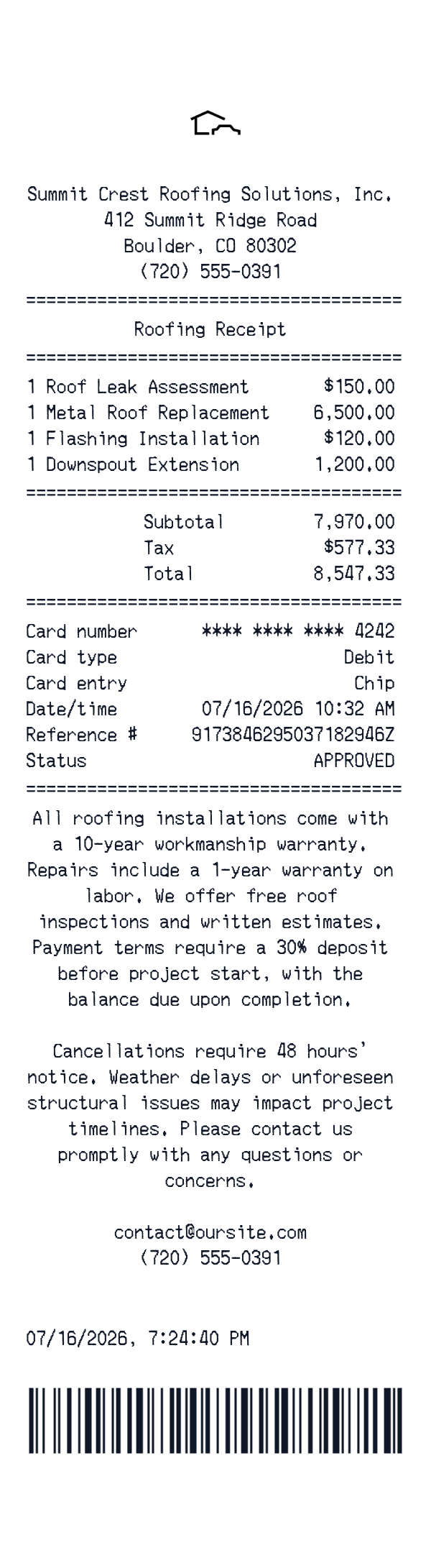
This roofing receipt template is an itemized receipt layout for roofing services and job components. It shows a business header, line items, totals, payment details, and closing contact lines.
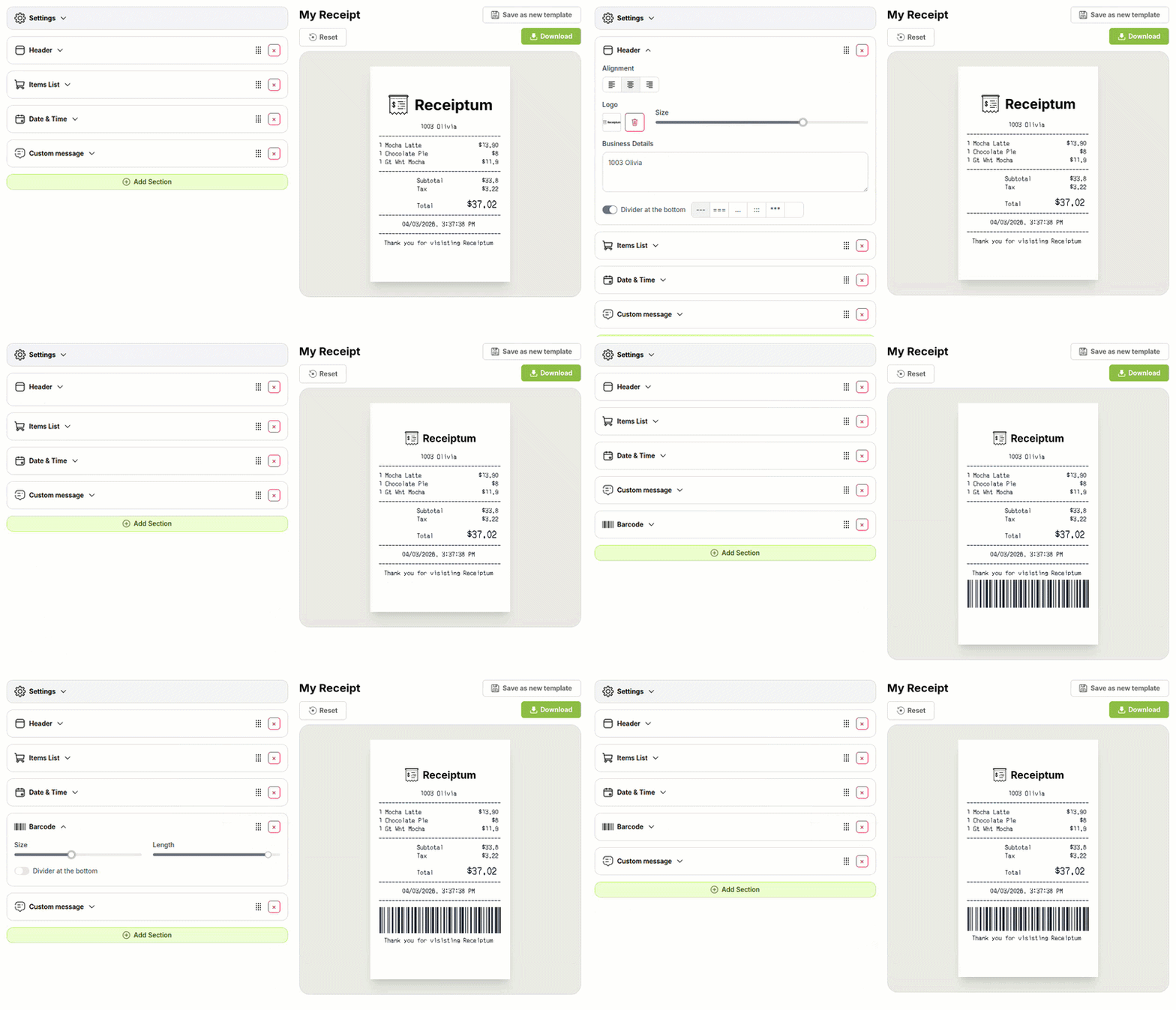
The template opens in the editor, where fields can be adjusted before downloading or printing.
- ✔Create a receipt in seconds
- ✔No design skills needed
- ✔Fully customizable
- ✔Add custom logo
- ✔Edit line items
- ✔Choose payment method
- ✔Add or remove receipt elements
What's on a real Roofing Receipt?
Every part of the receipt has a purpose. Here is what you will find on this template and why it matters.
Business header
The company name, address, and phone number identify the roofing business that issued the document.
Service line items
Each roofing service or repair appears on its own line with a quantity and price, so the work performed is easy to review.
Totals block
The subtotal, tax, and final total show how the line items combine into the amount due.
Payment details
The payment method and card reference information show how the transaction was completed.
Terms and notes
Short notes explain job conditions, follow-up contact, or terms attached to the roofing service.
Closing contact line
A final email or phone number gives a place to direct follow-up questions.
How the sample is arranged
This template comes pre-filled with a realistic sample receipt. Here is what it contains, top to bottom.
Summit Crest Roofing Solutions, Inc., 412 Summit Ridge Road, Boulder, CO 80302, (720) 555-0391. Roofing Receipt. Roof Leak Assessment, 1 at 150.00; Metal Roof Replacement, 1 at 6,500.00; Flashing Installation, 1 at 120.00; Downspout Extension, 1 at 1,200.00. Subtotal 7,970.00; Tax 577.33; Total 8,547.33. Debit card, chip, **** **** **** 4242, 07/16/2026 10:32 AM, reference 9173846295037182946Z, APPROVED. Warranty and terms notes, contact@oursite.com, (720) 555-0391, 07/16/2026, 7:24:40 PM, barcode.
How to make a Roofing Receipt?
With our Receipt Maker, creating any receipt is as easy as 1, 2, 3.
Customize your receipt
Customize every detail, from items to pricing and payment details, with ease.
Export your receipt
One-click export, ready to print.
Where a Roofing Receipt comes in handy
Roofing project records
Keep a personal record of roofing work with each service line.
Bookkeeping samples
Prepare itemized samples for personal bookkeeping practice with roofing services.
Spending breakdown
Track roofing costs with a full line-item breakdown.
Film and app mockups
Build roofing receipt mockups for film, TV, apps, or website projects.
Education and training
Use sample roofing receipts for education and training exercises.
Digitizing paper receipts
Digitize paper roofing receipts into a clean, searchable image.
Tips for a Roofing Receipt
- 1List each roofing service on its own line so the assessment, replacement, flashing, and downspout work are separate.
- 2Keep the math consistent: line totals should add to the subtotal, and tax should match the displayed total.
- 3Show only the last four digits for the card payment, and keep the reference number in the payment block.
- 4Add short warranty, deposit, or cancellation notes near the closing contact lines to match a roofing job document.
Similar Templates
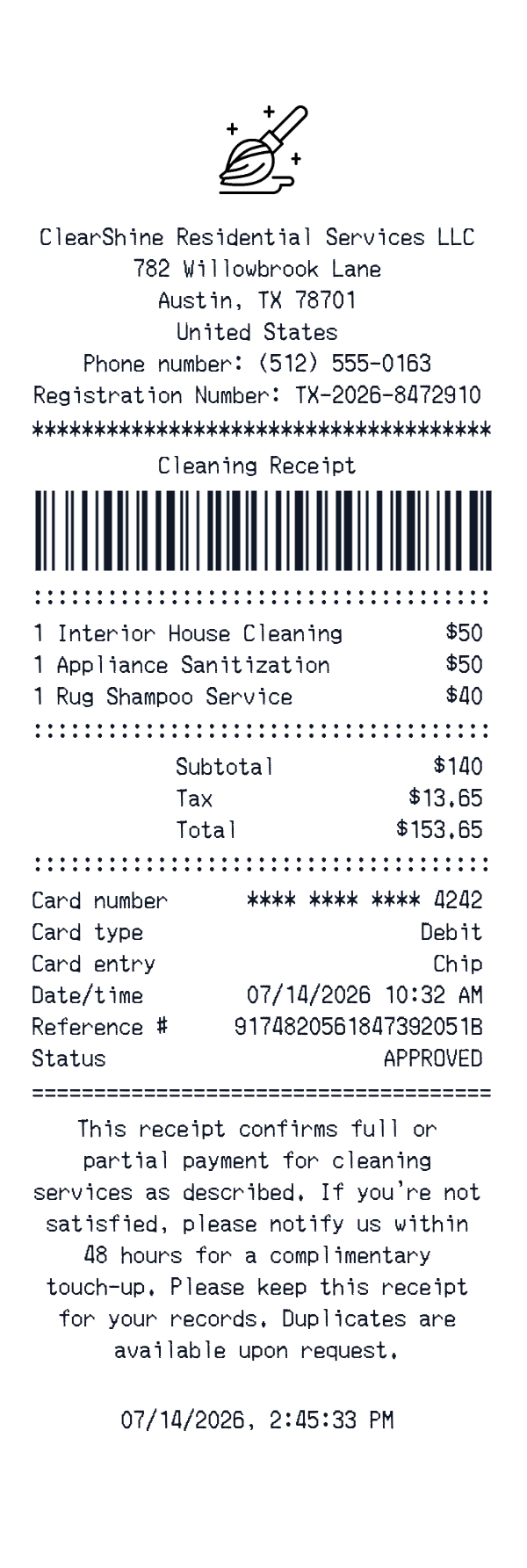
More receipt templates like this one — pick one and generate your own receipt in seconds.
Get started in 1 minute
- ✔Create receipts in seconds
- ✔Customize everything
- ✔Easy with our Receipt Builder