Free Coop Restaurant Receipt Generator
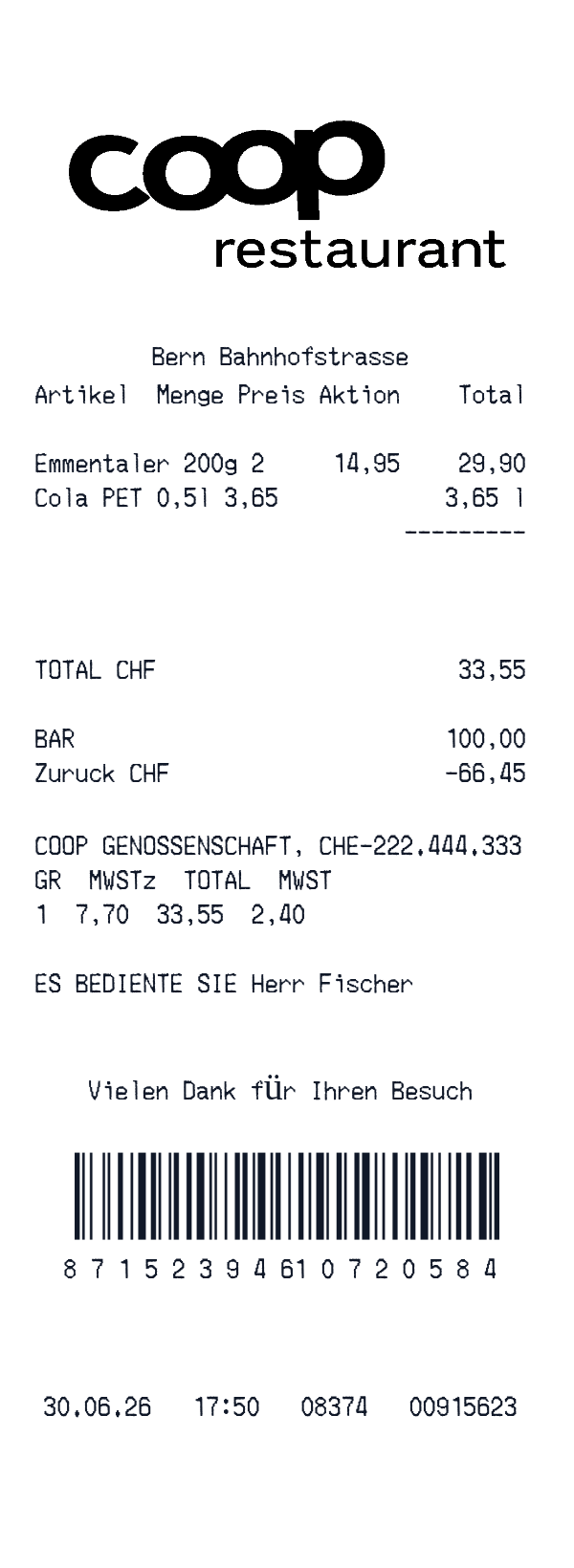
This Coop-style restaurant receipt template is a grocery and store receipt layout with a compact item list, cash payment lines, and a barcode section. It is useful for personal purchase records, bookkeeping samples, education, and design projects.
The template opens in the Receiptum editor, where you can adjust the text, layout, and colors.
- ✔Create a receipt in seconds
- ✔No design skills needed
- ✔Fully customizable
- ✔Add custom logo
- ✔Edit line items
- ✔Choose payment method
- ✔Add or remove receipt elements
What's on a real Coop Restaurant Receipt?
Every part of the receipt has a purpose. Here is what you will find on this template and why it matters.
Store header
The header identifies the store location. Later text can include the legal name or company details.
Date and register
The date, time, and register or cashier line place the purchase in time. It helps match the receipt to a specific visit.
Item lines
Each line lists a product, quantity, and price. This is the core record of what was bought.
Tax summary
The tax line shows the rate and amount applied to the sale. It explains how the final total is calculated.
Total and payment
The total, tender, and change lines show the amount due and how it was settled. They make the transaction easy to verify.
Barcode and code
The barcode or code area is a common closing element on store receipts. It supports internal processing and scanning.
How the sample is arranged
This template comes pre-filled with a realistic sample receipt. Here is what it contains, top to bottom.
The sample starts with the Bern Bahnhofstrasse header. The item lines show Emmentaler 200g at 29,90 and Cola PET 0,5l at 3,65, followed by TOTAL CHF 33,55, BAR 100,00, and Zuruck CHF -66,45. A later message includes COOP GENOSSENSCHAFT, CHE-222.444.333, a tax table, and cashier text. The closing area shows Vielen Dank für Ihren Besuch, a barcode, and 30.06.26 17:50 08374 00915623.
How to make a Coop Restaurant Receipt?
With our Receipt Maker, creating any receipt is as easy as 1, 2, 3.
Customize your receipt
Customize every detail, from items to pricing and payment details, with ease.
Export your receipt
One-click export, ready to print.
Where a Coop Restaurant Receipt comes in handy
Personal purchase records
Keep a simple record of a grocery or restaurant-style purchase.
Household food budget
Track food spending and keep a clear monthly picture.
Meal spending log
Track meal spending in a personal budget log.
Film and design mockups
Build sample receipts for film, TV, or design projects.
Retail education
Prepare sample receipts for retail or bookkeeping education.
Digitizing paper receipts
Turn paper receipts into a clean digital format.
Tips for a Coop Restaurant Receipt
- 1Use abbreviated product names, since store registers often print short item labels.
- 2For cash payments, keep the tender and change lines consistent with the total.
- 3Match the tax amount to the tax rate shown in the sample.
- 4Use a clear date and time for the shopping trip.
- 5Keep the barcode line aligned with the date, time, and register details.
Get started in 1 minute
- ✔Create receipts in seconds
- ✔Customize everything
- ✔Easy with our Receipt Builder
